
- A photo attached to a card’s back now travels with the card when you sync - add it on your phone, see it on your laptop.
- No setup needed beyond turning on cloud sync, the same toggle you already use for the rest of your deck.
- If your cards have no images, or you have sync turned off, nothing about your decks changes.
Photos Now Sync With Your Cards
You can attach a photo to the back of a card - a diagram, a photo of a textbook page, a chart you want to remember. Until now, that photo stayed on the device you added it from. Everything else about the card synced across your devices; the photo didn’t.
That gap is closed. If you have cloud sync turned on, a card’s photo now travels with it, the same as the card’s text. Add a card with a photo on your phone, open ouou on your laptop, and the photo is there.
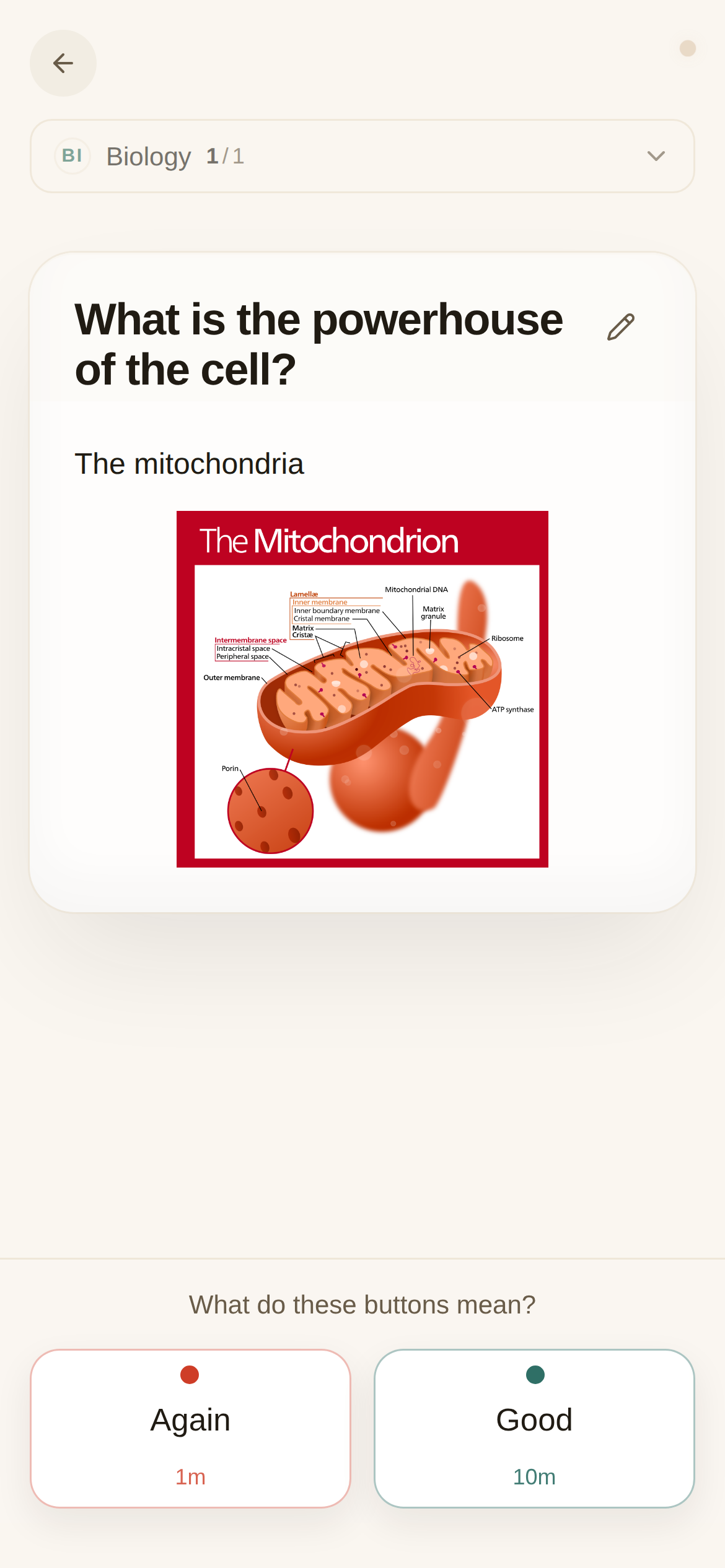
There’s nothing new to turn on. If cloud sync is already on for your account, this starts working on its own. If it’s off, turn it on from Settings the same way you would to sync the rest of your deck - optional, and it keeps your decks consistent across every device you use.
A couple of things worth knowing:
- Photos are stored privately, tied to your account - nobody else can see them.
- If you’re offline when you add a photo, it’s saved on your device right away and uploads the next time you sync.
- This covers photos on the back of a card. Photos on the front, and photos in decks you publish for others to follow, aren’t part of this yet.
Live now: card photos sync across your devices when cloud sync is on. No setup beyond the sync toggle you already have.