
- MCP server URL:
https://mcp.ouou.app/mcp - Requires a paid ouou account and a one-time OAuth sign-in.
- Adds four tools to Claude:
list_decks,create_deck,search_cards,create_cards. - Takes about two minutes to set up.
Just here to use ouou?
This guide is for people who use Claude — the AI assistant at claude.ai — and want to connect it to their ouou account. Once connected, cards Claude creates land directly in the deck you name, exactly like a card you added yourself — they enter the normal spaced-repetition review queue immediately, with no separate approval step.
You do not need this to use ouou normally. If you have not used Claude before, start at claude.ai.
Before you connect
- A paid ouou account with MCP access.
- A Claude account at claude.ai.
- HTTPS network access (required by Claude for MCP connections).
- A few minutes for the initial OAuth sign-in.
MCP server URL
https://mcp.ouou.app/mcpKeep this handy — you will paste it into Claude’s connector settings in the steps below.
Steps
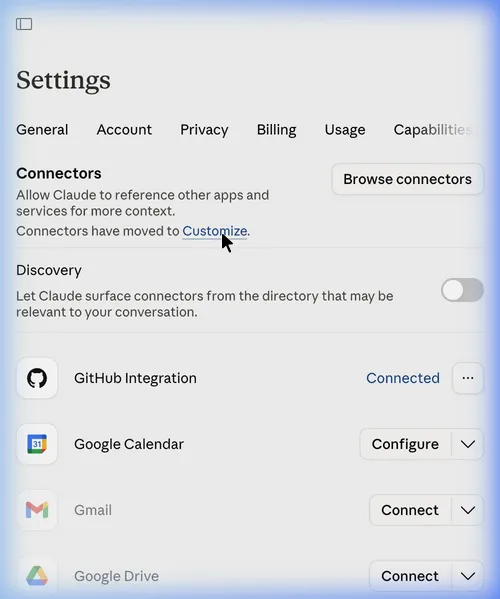
1. Open Claude Connectors Settings
Go to Claude Connectors Settings and click Customize, or open the Connectors item in the sidebar.
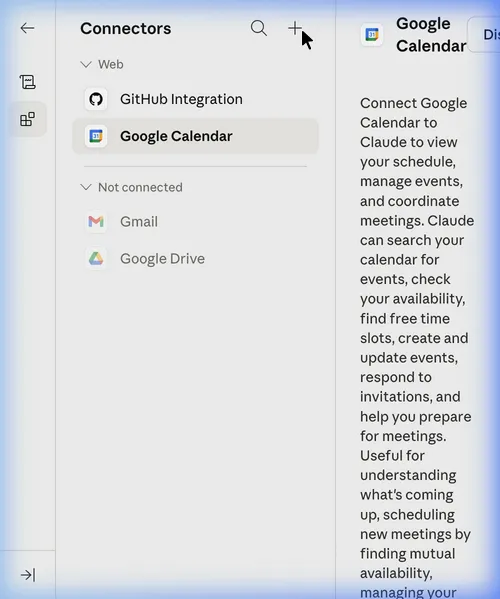
2. Add a new connector
Click the + button in the top right of the sidebar.
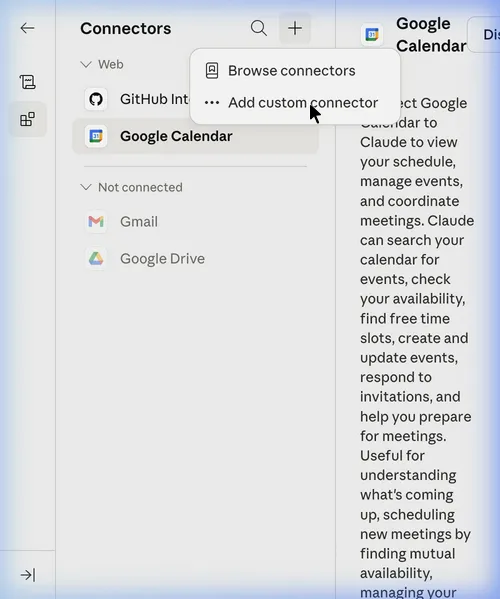
3. Select “Add custom connector”
Choose Add custom connector from the menu that appears.
4. Enter the ouou server details
In the “Add custom connector” dialog:
- Name — enter
ouou(or any label you prefer). - Remote MCP server URL — paste
https://mcp.ouou.app/mcp.
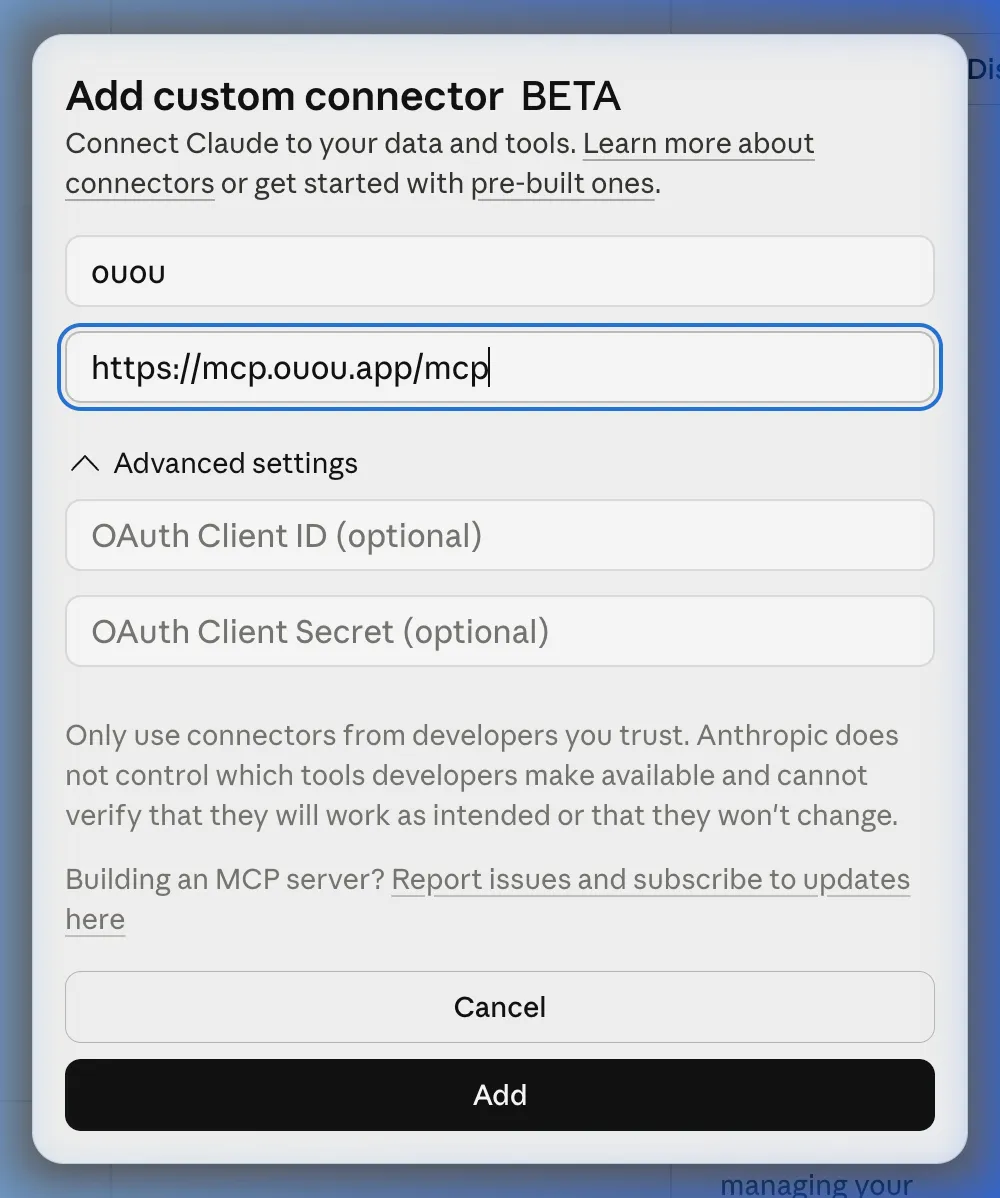
Click Add.
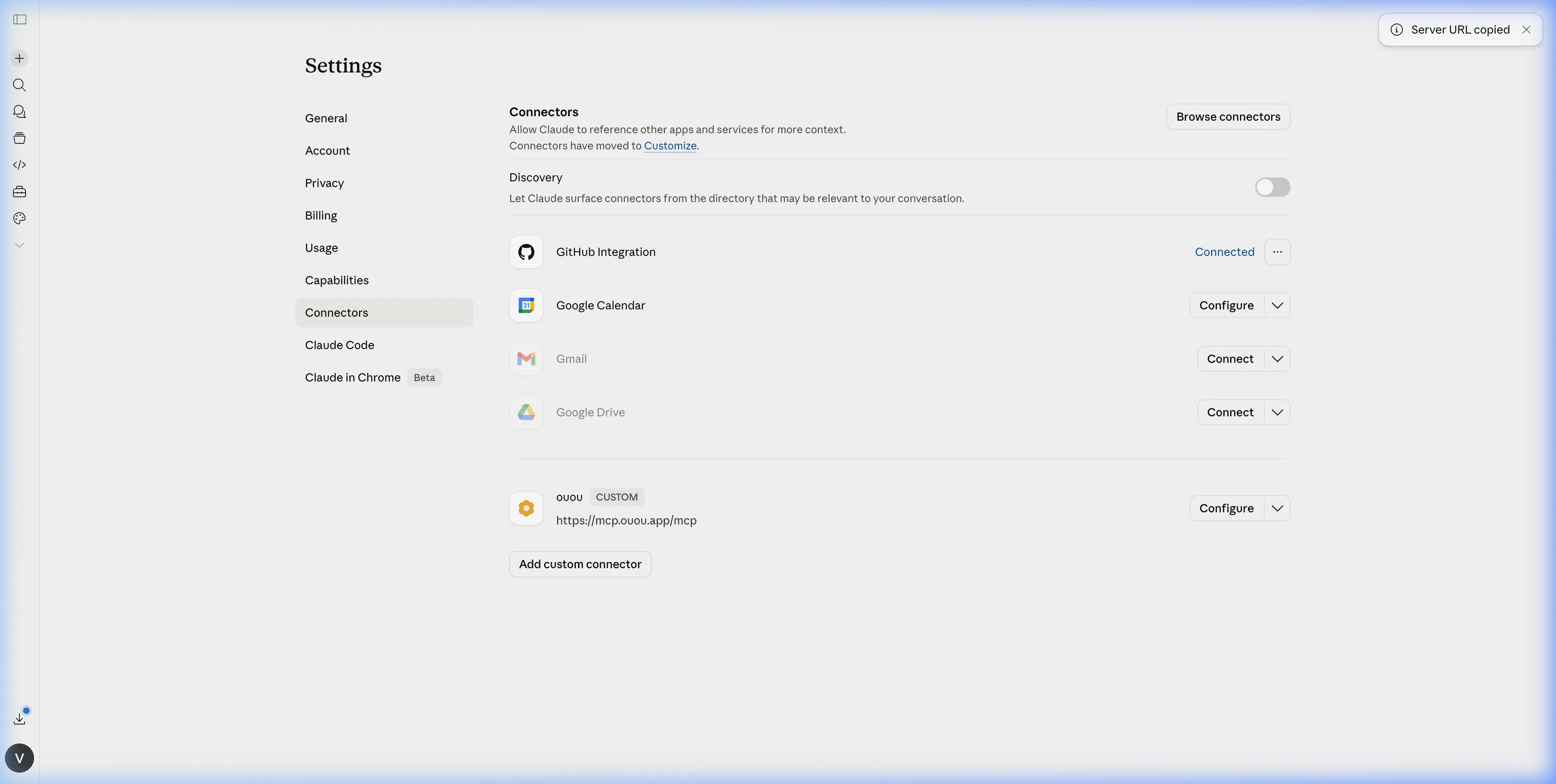
5. Confirm the connector is active
Verify that the ouou connector appears in the list and its tools show as available.
6. Complete OAuth on first use
The first time you use an ouou tool in a Claude conversation, you will be prompted to sign in and grant consent. Complete that flow once — subsequent uses in the same session do not require it.
Quick verification
Once connected, try these prompts in Claude:
List my ouou flashcard decks.Create a new ouou deck called "Spanish Verbs".Search my "Spanish Verbs" deck for cards about "to be".
Available tools
| Tool | What it does |
|---|---|
list_decks | Returns your decks with names, IDs, and tag vocabulary |
create_deck | Creates a new deck |
search_cards | Searches cards in a deck by keyword |
create_cards | Adds flashcards to a deck |
A worked example
Say this to Claude:
Add three flashcards to my “Spanish Verbs” deck: ser vs estar, the preterite of hacer, and the imperative of ir.
Claude calls list_decks to resolve “Spanish Verbs” to its deck ID, then
create_cards to add the three cards. If one of them already exists in the
deck, it is skipped rather than duplicated — Claude reports back something
like “2 created, 1 skipped (duplicate)”.
Connector vs. the CSV workflow
Use the Claude connector when you want to create or manage cards live, in the middle of a conversation. If you do not have MCP access, or you would rather draft cards in a spreadsheet and import them in one batch, use the free CSV workflow instead — no paid plan or connector setup required.
Permissions and privacy
Signing in uses OAuth 2.1 with a single openid scope — ouou does not
request access to your broader Claude account or any other service.
Every tool operates only on your own ouou account: create_cards and
create_deck can add data but cannot modify or delete anything that
already exists, and none of the tools reach outside your account to other
users’ data or external systems.
Troubleshooting
invalid_token — reconnect the ouou connector and complete OAuth again.
insufficient_scope — your account plan does not include MCP access.
Upgrade at app.ouou.app or contact your account owner.
Still cannot connect — contact support@ouou.app with the timestamp and error text.
MCP access requires a paid ouou plan. The connector is set up once per Claude account — you do not need to repeat these steps on each conversation.