
 Connect ouou with Claude
Use this guide to connect ouou as an MCP server in Claude so you can list decks, create decks, search cards, and add flashcards from chat.
MCP server URL
https://mcp.ouou.app/mcp
Before you connect
- Use an ouou account with MCP access (paid plan).
- Be ready to complete OAuth sign-in/consent when prompted.
- Use HTTPS-only network access (required by Claude/MCP clients).
Connect in Claude
-
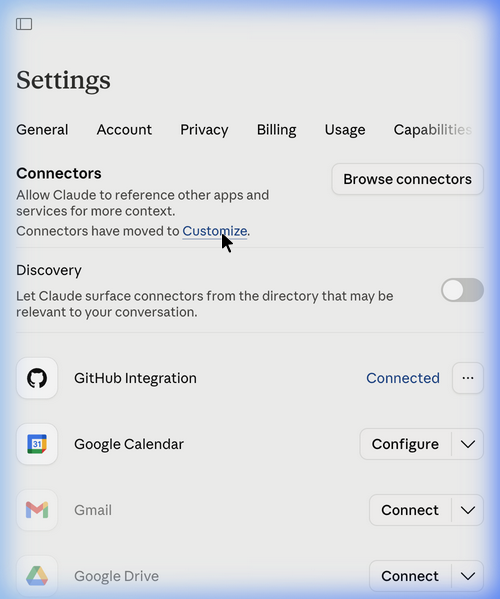
Navigate to
Claude Connectors Settings
and click on Customize (or use the sidebar to go to
Connectors).
-
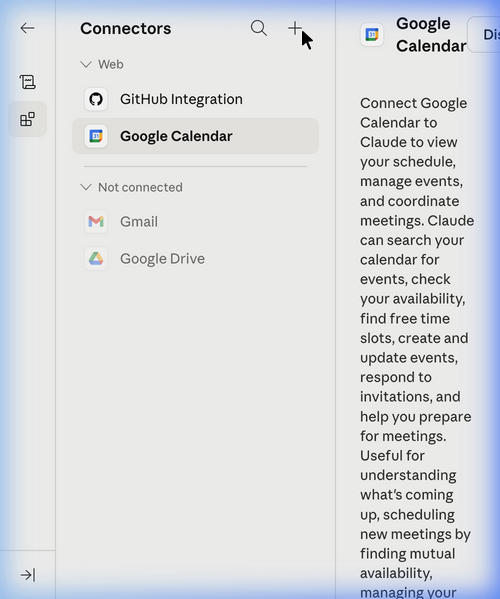
Click the + (Add connector) button in the top right
of the sidebar.
-
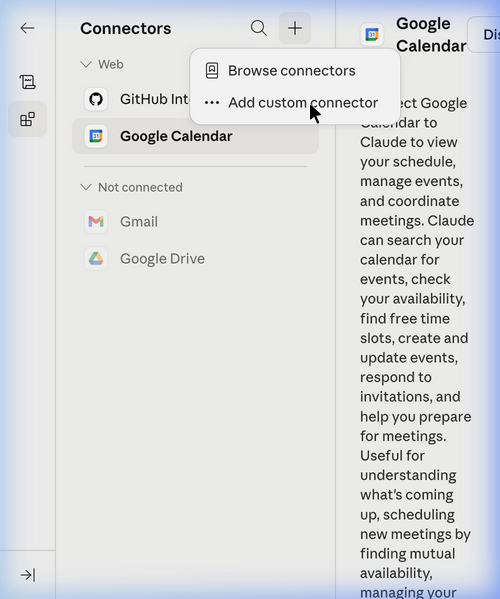
Select Add custom connector from the menu.
-
In the "Add custom connector BETA" dialog:
- Enter a Name for the connector (e.g., "ouou").
-
Enter the Remote MCP server URL:
https://mcp.ouou.app/mcp.
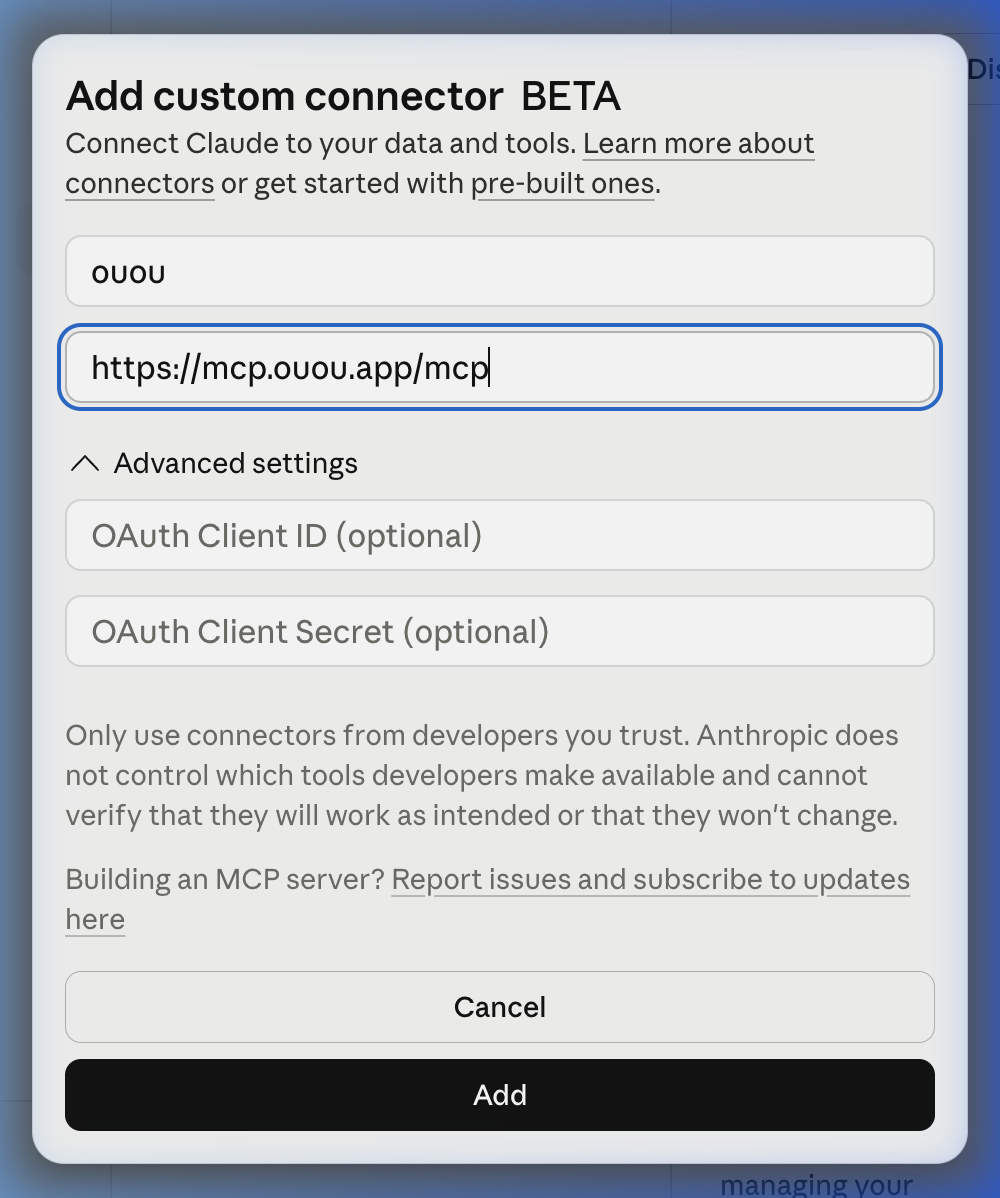
- Click Add.
-
Verify that the ouou custom connector is
successfully added and its tools are available.
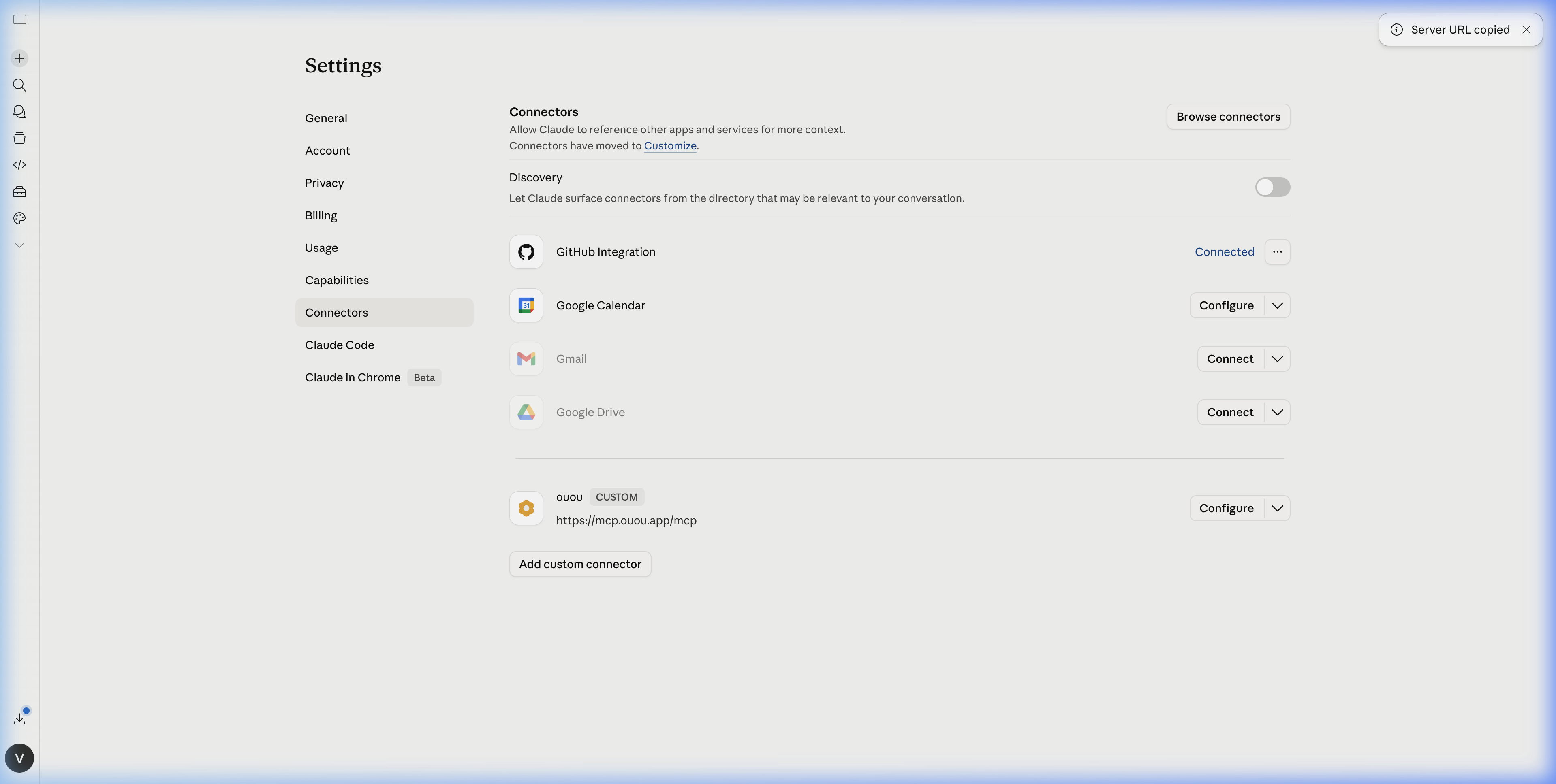
- Complete the authentication and ouou OAuth consent when prompted during your first tool usage.
Quick verification prompts
List my ouou flashcard decks.Create a new ouou deck called "Spanish Verbs".-
Search my "Spanish Verbs" deck for cards about "to be".
Available tools
list_deckscreate_decksearch_cardscreate_cards
Troubleshooting
-
invalid_token: reconnect ouou and complete OAuth again. -
insufficient_scope: your account plan does not allow MCP access. - If you still cannot connect, contact support@ouou.app with timestamp and error text.